Social Video Toolkit
Creative Strategy
The Social Video Toolkit uses an easy-to-use modular system that is designed to distribute messaging throughout the promo, rather than having it all appear at the end like on a traditional linear ‘endboard’.
Assets have been designed for specific social platforms and around typical user journeys. To increase engagement, generally, it is recommended to avoid full frame captions and branding at the very start of social videos.
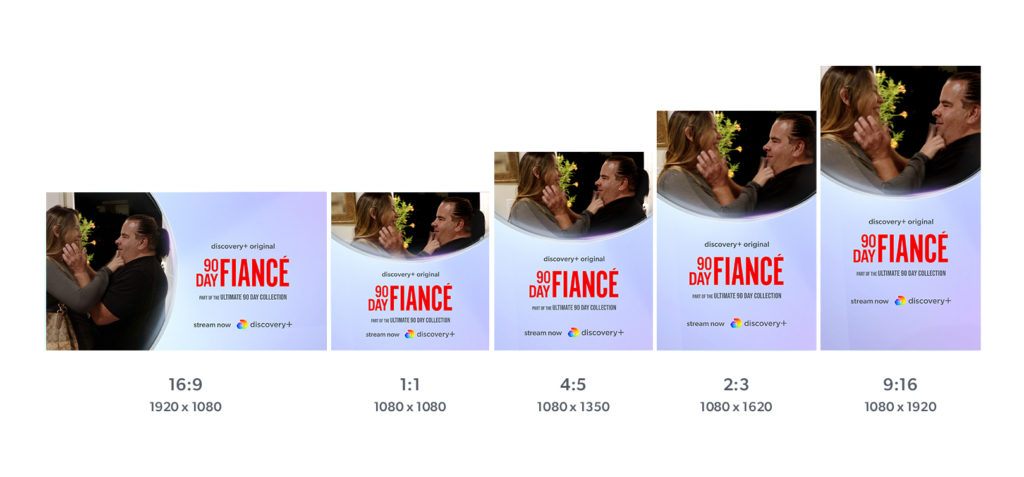
To drive awareness of franchise brands and create a seamless viewer journey from social video to product, the Title Card should align to how the programme appears on the product; the preference is to use Image & Title Art, Key Art or Title Art only, depending on available assets.
Social placeholder graphics are available to help craft your edit.
Frame Rates & Aspect Ratios
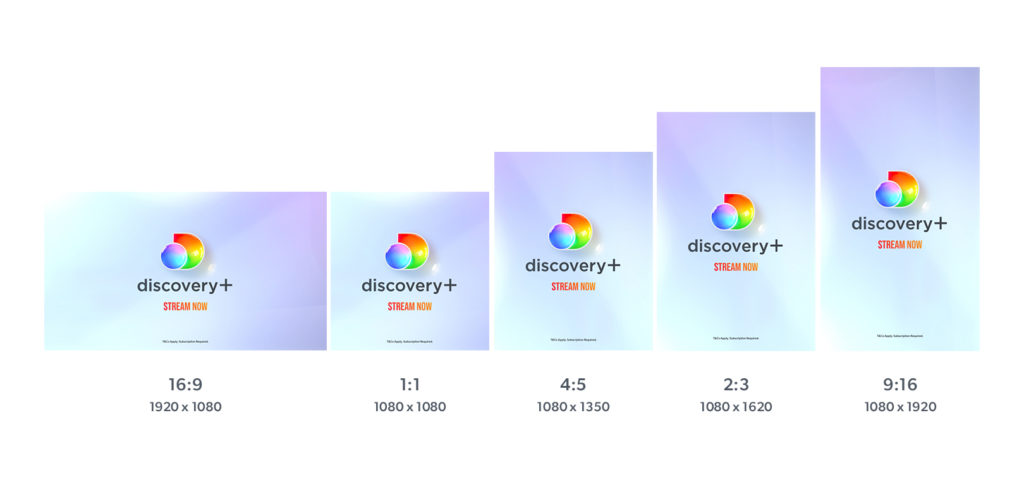
25fps and 29.97fps Social Video Toolkits are available. All social video elements, apart from the Organic Social assets listed below, are available in the following aspect ratios.
The Social Video Toolkit requires After Effects CC 2020 or newer.
Gradient Options
Insert Text: The master gradient toggle updates all background and text fill gradients in the Social Video Toolkit, apart from the outro text which should always remain in the primary red/blue gradient.

Outros & Title Cards
Outros
Durations: 6sec, 3sec & 2sec. Final frame may be extended if needed
In the international toolkit, Outros are only premium white. Outros are designed to hold key call-to-action messaging only; CTA information can appear over a 1 or 2 stage animation. They may also appear without any CTA information. Outros can appear on their own, or preceeding a Title Card. The duration may be extended if needed.
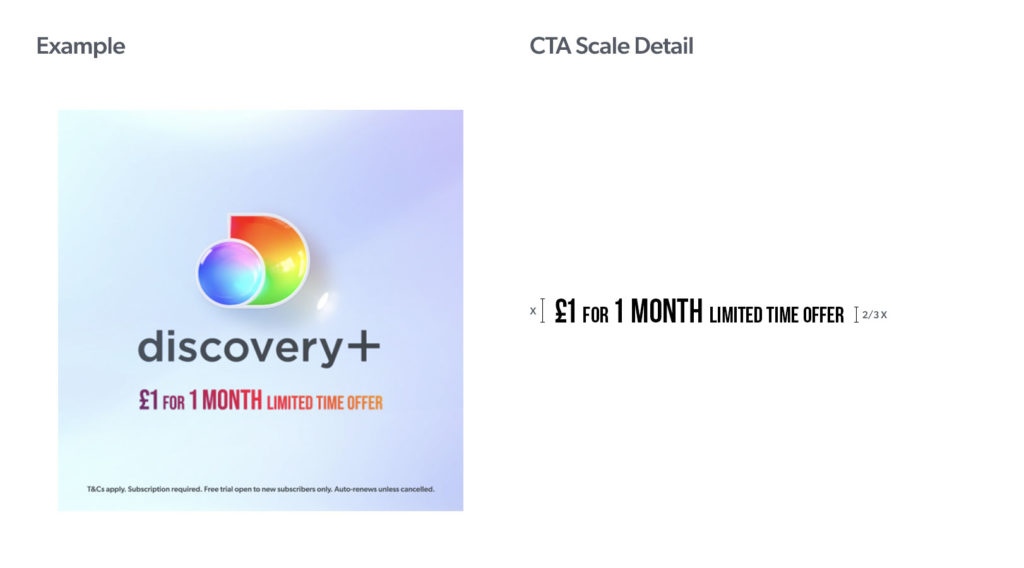
To make extended CTA information easier to read, ‘secondary’ words (i.e. “…”) should be set to ⅔ the size of ‘primary’ words (i.e. “…”):
Title Cards with Outro
Duration: 6sec including the Outro. Final frame of Outro may be extended if needed
Title Cards hold show information & imagery and appear before the Outro. The preference is to use show assets (imagery & title art) that will help a viewer recognise the title on the product.
Title sequences lifted from the show may also be used as an alternative to the several options provided below.
Image & Title Art (preferred)
Image: The preference is to use a clean version of the main Key Art image that is used on the product. However any high-quality image from the season can also be used, similar to the episodic-level images on the product.
Title Art: Use any version (full color, black-mono, white-mono) that provides maximum legibility over the image. Ensure that the proportional scale of title art remains consistent; general scaling guides have been provided for three standard sizes.
discovery+ Original & promotion/collection lines optional
Key Art
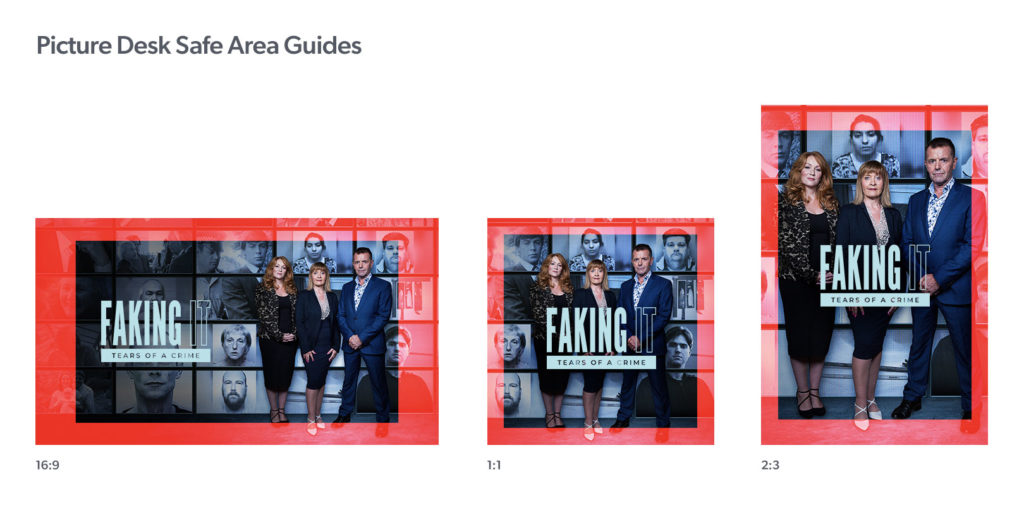
Options for 1/2/3/4/5 shows have been provided. These are designed to use existing 16:9, 2:3 & 1:1 Key Art. Please ensure the title art has been set within the EMEA Picture Desk Safe Area Guide, see below.
Note: no discovery+ Original & promotion/collection lines.
Content Wall
This option is designed for collections, to feature 9 shows, and also uses existing 16:9, 2:3 & 1:1 Key Art.
Note: no discovery+ Original & promotion/collection lines.
Title Art
For use with either the full color or black-mono version of the title art provides maximum legibility over the premium white background. Ensure that the proportional scale of title art remains consistent; general scaling guides have been provided for three standard sizes.
discovery+ Original & promotion/collection lines optional
Generic Text
Generic text is filled with the Colour Text Gradients. Standard text scale/layout options (1 Line, 2 Line, Sublines) have been provided; these can be amended as needed.
discovery+ Original & promotion/collection lines optional
Generic Text – Double
Generic text is filled with the Colour Text Gradients. Standard text scale/layout options (1 Line, 2 Line) have been provided; these can be amended as needed.
discovery+ Originals Line optional. Note: no promotion/collection lines
Sourcing Imagery
PhotoBank – production stills and portraiture.
Discover Images – production stills, portraits and artwork.
Key Art
Please ensure the title art has been set within the EMEA Picture Desk Safe Area Guide:
Original Line
The discovery+ Original line will automatically reposition around the title/key art. Please do not reposition manually or rescale.
Promotion & Collection Lines
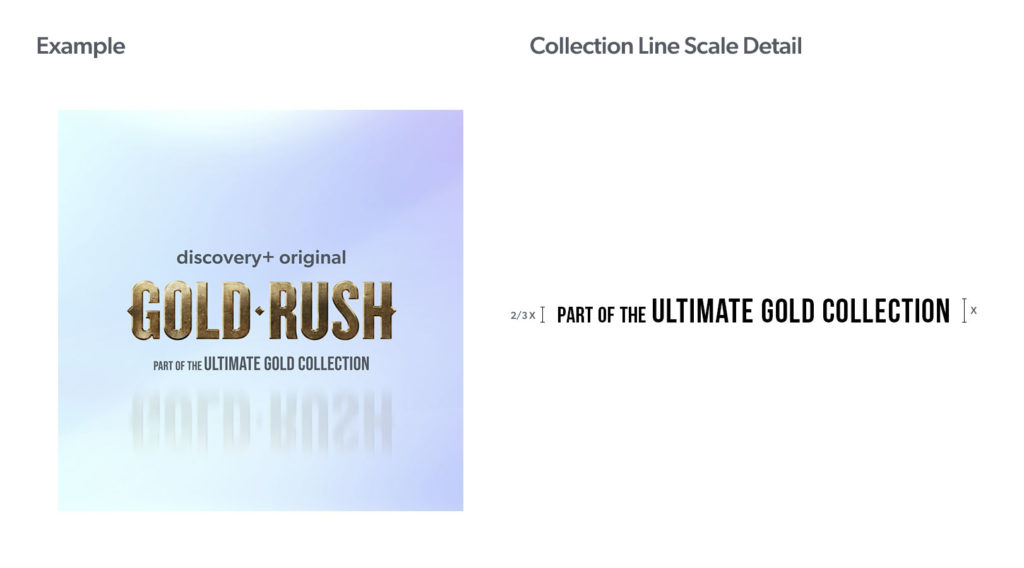
Title Cards should only hold essential programme information; title and discovery+ Originals line. As such, it is recommended to include promotion/collection information elsewhere in the promo; in a caption for example. When this is not possible, a promotion/collection line has been built into Title Cards; under the title art.
Ingest Model Outro
Ingest Model versions of all of the above options have also been provided.
Straps & Bugs
Social platforms preview video posts at different aspect ratios depending where and how they are viewed; to avoid cropping the Icon-Only Social Straps are recommended. Full Logo Straps and Bugs have also been provided. Social videos can use either an animated strap or a bug; do not use both in the same video. Straps & Bugs should begin their animation-on 6 seconds into a social video to avoid clashing with social platform overlays and keep the opening section free of branding to increase engagment.
Social Straps
Duration: Variable (begin animation 6 seconds into social video)
Icon-only Animated Straps are recommended. Full Logo Animated Straps have also been provided. Static Title Straps are designed to work together with, and in the opposite corner to, the Bug. Straps can be cut into at any point during the animation to reduce the duration. Please cut or animate-off before the start of the transition into an Outro or Title Card. Several different position options have been provided for 9:16 videos;
1) Upper-third
2) Upper-third for YouTube Pre Roll & Sponsored IG ads
2) Upper-third for IGTV (below): jumps in up position as the Instagram graphic overlay, as experienced in a typical user journey, fades
3) Lower-third (do not use with subtitles)
Social Bugs
Duration: Variable (begin animation 6 seconds into social video)
Several bug positions have been provided; each region should decide which position works best for their needs and use that version consistently.
Captions
Duration: Variable
A wide selection of generic caption styles (discovery+ Original, premium white and over-footage) have been provided. The discovery+ Original style can only be used for original content, but discovery+ Originals promos may also use the other styles. Designing bespoke captions, tailored to the look and feel of the content, is encouraged. Generally, it is not recommended to use captions at the very start of social videos as this decreases engagement.
Timers / Transitions / Subtitles
Duration: Variable
A range of timers and transitions have been provided. Subtitles pull from a master composition; automatically updating all aspect ratios.
Timers
Timers are an optional graphic and are recommended for long form clips and show-lifts. It is not recommended to use timers on social promos.
T&Cs
T&Cs have been provided in all aspect ratios and appear in grey when on an Outro and white when over footage. Scale can be adjusted to regional requirements.
Organic Social – Instagram Posts
Aspect Ratio: Tweets & Video Memes- 1:1 & 4:5. Announcements & Carousel Nudges – 4:5
Type-on Tweets & Announcements and Carousel Nudges subtly animate otherwise static organic instagram posts to draw the viewer’s attention and increase engagement. Video Meme Templates have also been provided.
See: Social Static Toolkit section for examples.
YouTube Bumper Ads
Duration: 6sec
Title Art (preferred) and Generic Text options provided. discovery+ Original & promotion/collection lines optional.
Title Art: Ensure that the proportional scale of Title Art remains consistent; general scaling guides have been provided for three standard sizes. Full colour/black-mono versions only, to provide maximum legibility over the premium white background.
Generic Text: Generic text is filled with the Colour Text Gradients. Standard text layout options (1 Line, 2 Line) have been provided; these can be amended as needed.
Available in the following aspect ratios: