
Concurrent Promo Assets
Networks creating concurrent promos (formally known as ‘co-branded promos’ in DNI) can feature discovery+ in two ways: using the Concurrent Bolt-On or the Concurrent Super. Both assets are accompanied with the same voiceover guidance.


Concurrent Bolt-On
2 Seconds
Each region sets their own URL in the Essential GFX panel, and can decide to turn it on or off. The URL should be turned off if the formatting of the Terms & Conditions causes the URL to be too close or overlap other elements.
Each region sets their own legal terms in the Essential GFX panel, and must follow their regional broadcast guidelines for correct scale and duration.
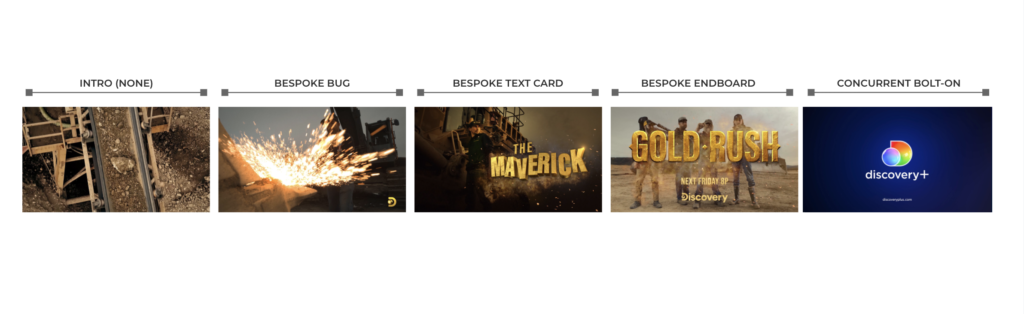
The Concurrent Bolt-On is designed for bespoke promos that are not using the network’s generic endboard. It precedes the bespoke endboard and is provided full frame or with alpha. This asset cannot be altered in any way.
Alpha: The same footage used behind the endboard may be extended behind the Concurrent Bolt-On or you can cut to a different shot but please avoid multiple cuts behind the Concurrent Bolt-On. The logo, spectrum bar and URL must remain legible; if the footage is busy or interferes with the graphic elements we recommend adding a blur, like in the example below.


Anatomy of a Bespoke Network Promo with Concurrent Bolt-On
Concurrent Super
2 Seconds
The Concurrent Super is designed to be added to a network’s generic endboards. Networks can position the Concurrent Super anywhere on their endboards but it must appear for a minimum of 2 seconds and cannot be altered in anyway.
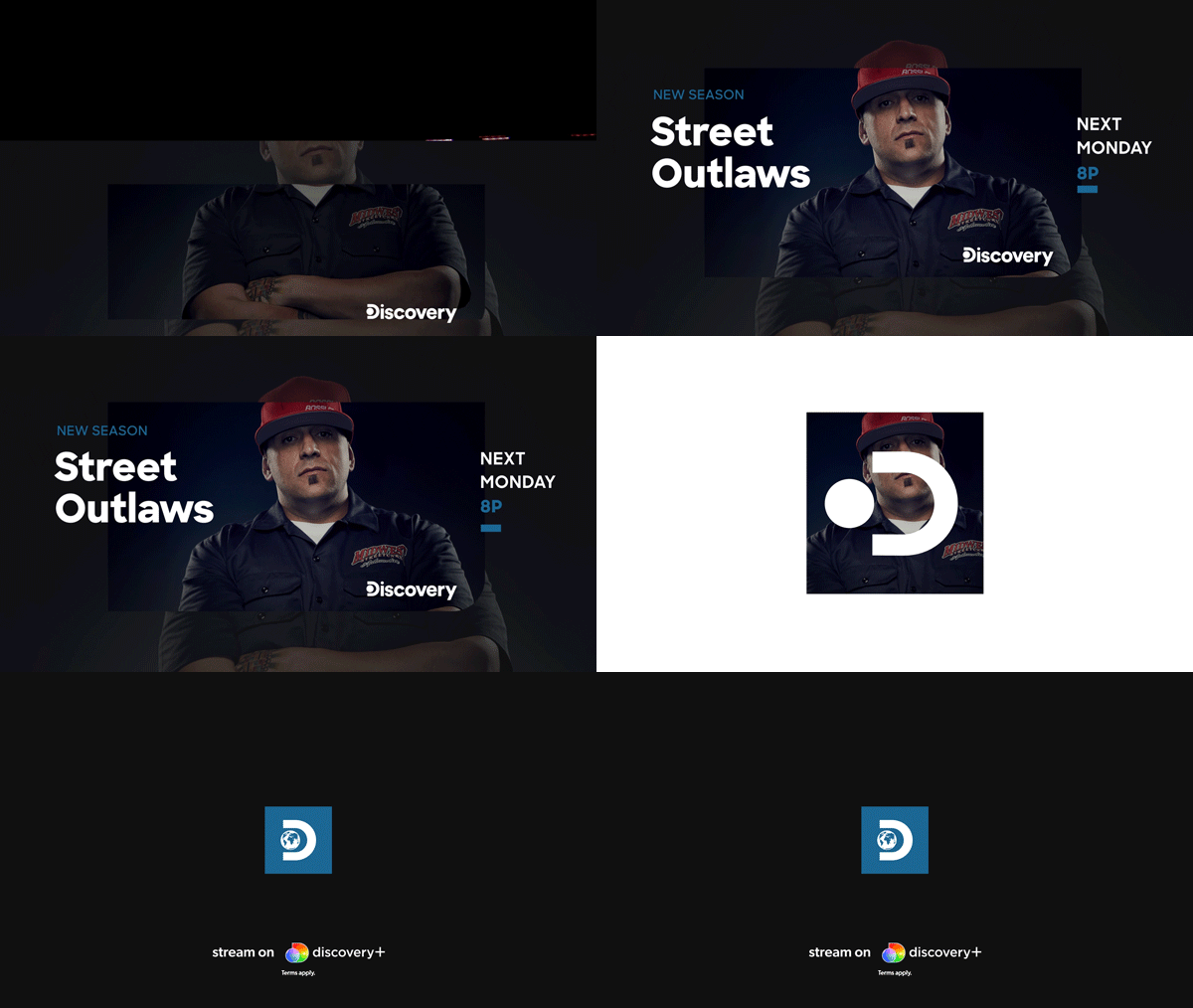

Anatomy of a Network Promo with Concurrent Super

Standard Intro
Standard Intros are optional for non-original titles.